

Disney’s Pop Century Resort Guide
Disney’s Pop Century Resort is a value resort hotel at Walt Disney World. It’s located on the Disney Skyliner near Disney’s Hollywood Studios and Epcot. The resort originally opened in 2003 with over 2800 guest rooms. Initially, the resort was intended to comprise sections representing the classic and legendary years. The decades would have represented the 20th century, from the 1900s through the 1990s. However, only the classic years were built, paying tribute to the 50s through the 90s. The area across the lake designated for the legendary years was later used to build Disney’s Art of Animation.
Disney’s Pop Century was completely refurbished a while back with entirely new room designs and layouts. Since that time, the rooms and most of the resort have received updates, some more major than others. We rank the resort at the top of our list of best value resorts at Disney World. Between the rooms, location, and pricing, this resort offers a nice balance for anyone looking to stay on Disney property. That said, you’ll want to take advantage of the resort’s amenities and know what you shouldn’t expect.
Below, we’ll cover the essential details to help you prepare for your stay at Pop Century. Then, we’ll link to our most valuable content for certain aspects of the resort. Those articles provide in-depth details, photos, and, in some cases, videos of specific resort features. You will likely find the most value in our review of Pop Century, which provides a detailed account of our last stay.
We stay at each resort every couple of years to keep our coverage up to date. We also pay out of pocket for our rooms. Therefore, all the information we provide is based on our experience and at our expense.

The Basics for Disney’s Pop Century Resort
Here are a few basic things you’ll want to know about the resort:
- Check-In (3:00 p.m.)
- Check-Out (11:00 a.m.)
- Self-Parking (Complimentary)
- Free Wi-Fi Internet
- Address: 1050 Century Drive, Lake Buena Vista, FL 32830
- Resort Map: Disney’s Pop Century Resort Map
- Housekeeping: Rooms at Disney Value Resorts receive housekeeping service every other day. Learn more about how housekeeping works at Disney World.

An Overview of Disney’s Pop Century Resort
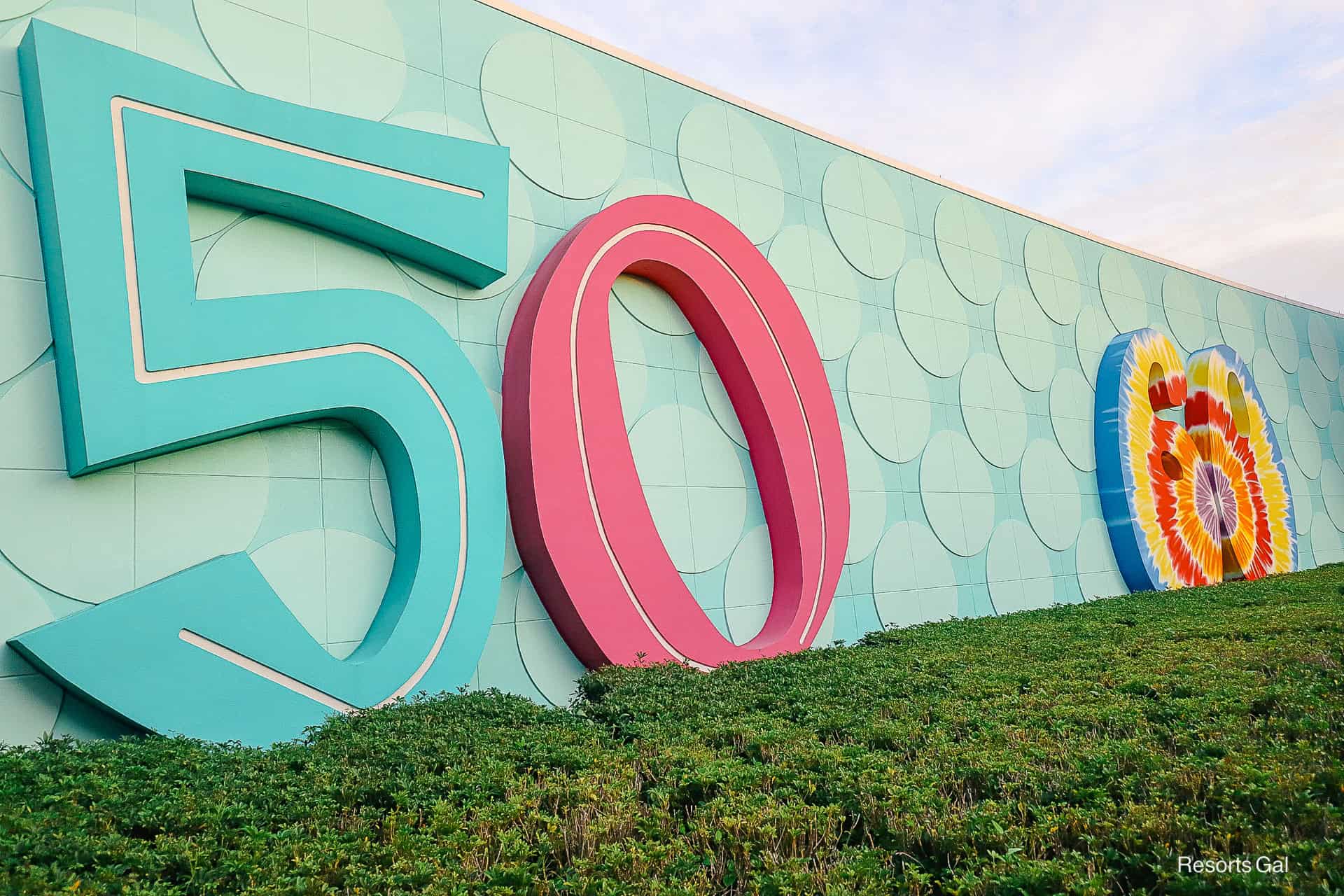
Pop Century Resort represents the classic years from the 1950s to the 1990s. Each decade has its own section; however, the 1980s and 90s sections are combined into one area. Throughout the resort, you’ll find catchphrases, toys, music, dances, movies, and other pop culture references.

Disney Pop Century Resort Guest Benefits
Guests of Disney’s Pop Century Resort can take advantage of Disney’s early theme park entry, a perk available to all Walt Disney World Resort guests.
Early Theme Park Entry: This perk lets resort guests enter any Walt Disney World theme park 30 minutes before it officially opens to the general public. This early entry provides several advantages:
- Lower Crowds: Entering early lets you experience popular attractions with shorter wait times. This helps you check off must-see rides and experiences before the crowds.
- Photography Opportunities: If you love capturing the magic of Disney, the early hours offer a fantastic chance to photograph iconic landmarks with fewer people in the background.
- Cooler Temperatures: Morning hours are often cooler, making outdoor activities more comfortable. But if you visit during cooler weather, don’t forget a jacket!

The Decades of Pop Century Resort
Below, we’ll preview a few photos from each decade represented at Pop Century. When you walk out the resort side of Classic Hall, you’re greeted with the large Pop signage. Large numbers representing each decade are lined up on both sides of the sign. The 70s, 80s, and 90s are to the left. The 60s section is straight ahead; turn right to reach the 50s.

The 1950s
Some rooms in the 1950s are preferred because they’re close to Classic Hall. Each section of Pop Century (except the 70s) has many buildings centered around a courtyard and pool area. The 70s section has an oversized foosball court at its center.

Pop Century is similar to a motel, with exterior staircases on each end of the building. However, elevators are provided in the center of each building, so you shouldn’t have difficulty getting to and from your room if you’re assigned an upper-level floor. The building’s balconies include fun references to the decade in which they were built. For instance, the transistor radio is shown in the photo below.

The opposite side of the courtyard references Disney’s animated film Lady and the Tramp. Tramp sits on one side.

A tremendous doghouse sits in the center behind the pool area.

Lady from Lady and the Tramp sits opposite, facing Tramp. These larger-than-life icons are exclusive to Disney’s value resorts. Kids and adults alike love this fun theming.

The 1960s
The 60s sections bring to mind words like “groovy” and fun toy references like Play-Doh. Most rooms in this section of the resort are pool-view.

Mowgli and Baloo from The Jungle Book represent an animated film from this decade.

Staircase wraps are giant yo-yos, which were all the rage. You might also notice peace signs, flowers, and smiley faces!

The 1970s
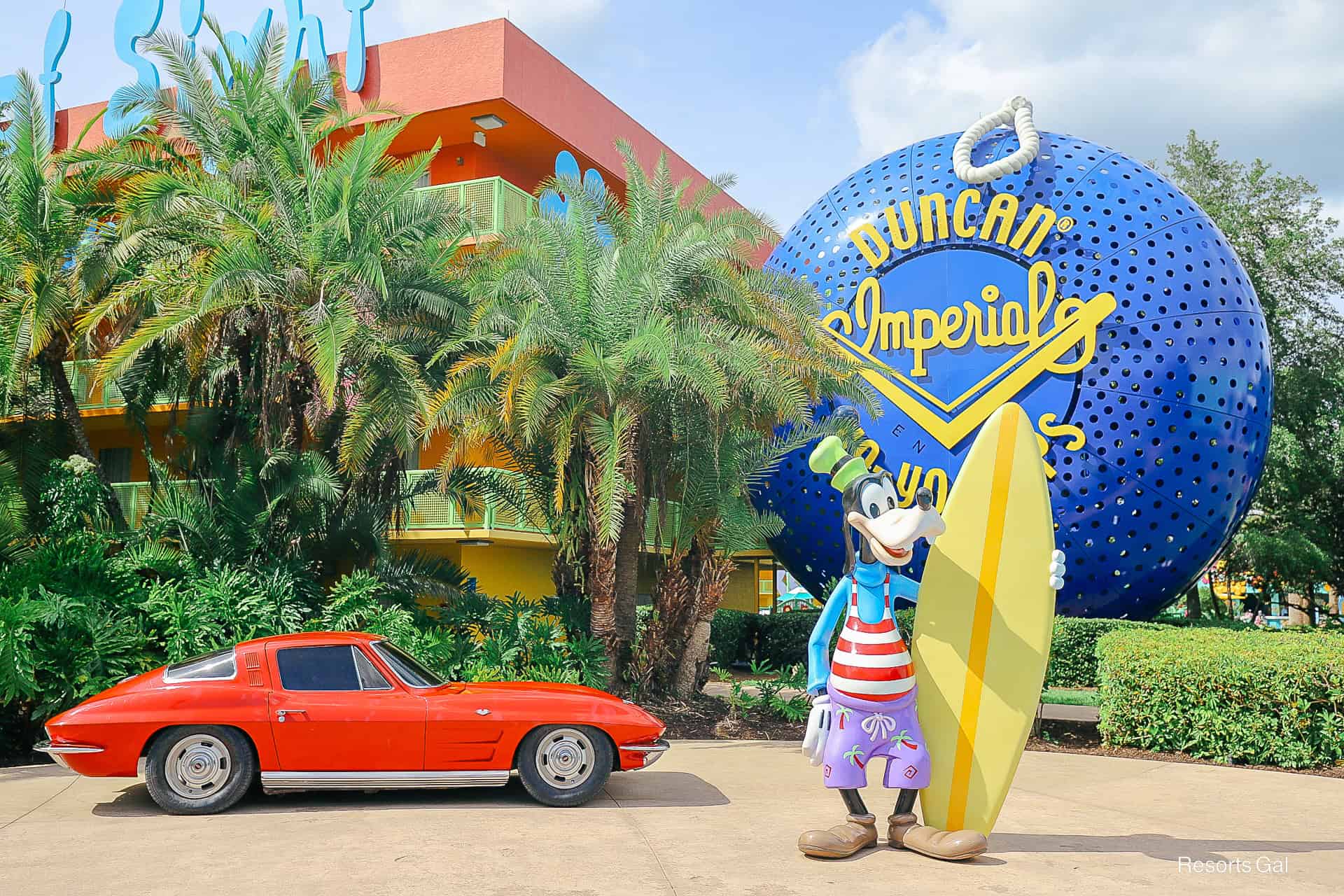
As we move into the 1970s, we see a giant Mickey Mouse holding a rotary dial phone. Given their proximity to the lobby, a portion of this section of the resort is made up of preferred rooms.

Here’s that foosball court. It’s pretty cool.

Or how about a giant game of Twister?

A colossal Big Wheel sits across the courtyard from Mickey.

The 1980s and 1990s
Mr. and Mrs. Potato Head are stationed outside the entrance of the resort’s combined 80s and 90s section. When guests return to their rooms, they welcome them with a smile and a wave.

A massive Rubik’s Cube wraps the staircase at this end of the resort.

The 90s area sits toward the back of the courtyard, with a laptop displaying decade news.

Roger Rabbit represents the decade’s movie, Who Framed Roger Rabbit?

Accommodations at Disney’s Pop Century Resort
At Pop Century, you won’t find differences in interior layouts or amenities. However, you can upgrade to a pool view or a preferred room location. A handful of rooms also offer a preferred pool view upgrade. We have a separate article with photos of the rooms at Pop Century.
We’ve also paid to stay in a preferred room. Based on that experience, we wrote an article with recommendations on when you might want to upgrade to a preferred room at Pop Century. However, given the resort’s exterior motel layout, we don’t recommend upgrading for a better room view.
If you want to roll the dice and book the cheapest room, we have a guide that discusses the best and worst room locations at Pop Century. You can use it to request a specific resort area ahead of your stay.
Here is a list of the room options at Pop Century:
Standard Room
- Location: 50s, 70s, 80s, 90s
- Bedding: 1 Queen-Size Table Bed and 1 Queen Bed or 1 King Bed
- Capacity: Sleeps up to four adults
Standard Pool View:
- Location: 50s, 80s, 90s (View of Bowling Pool or Computer Pool)
- Bedding: 1 Queen-Size Table Bed and 1 Queen Bed or 1 King Bed
- Capacity: Sleeps up to four adults
Preferred Room:
- Location: 50s, 60s, 70s (select buildings)
- Bedding: 1 Queen-Size Table Bed and 1 Queen Bed or 1 King Bed
- Capacity: Sleeps up to four adults
Preferred Room with Pool View:
- Location: 60s (View of the Hippy Dippy Pool)
- Bedding: 1 Queen-Size Table Bed and 1 Queen Bed or 1 King Bed
- Capacity: Sleeps up to four adults
Rooms include a mini-fridge (beverage cooler), a combined bathtub/shower, a Murphy bed, a hair dryer, an in-room safe, an iron and ironing board, and an individual coffee maker.

Here’s a video of the Pop Century Resort rooms.
Dining at Disney’s Pop Century Resort
Dining at Pop Century consists of a food court and a poolside bar. This is the same setup you’ll find at all Disney value resorts.
Everything Pop Food Court: Everything Pop is open daily from 7:00 a.m. until 11:00 p.m. This food court has various stations offering breakfast, lunch, and dinner. Our review shares pictures of the menus and grab-and-go items available during our last stay. (If you prefer, you can always order pizza delivery or something from a delivery service like Uber Eats. But you’ll want to meet the driver at the resort lobby for pickup.)
Related: Disney’s Pop Century Dining Guide

Petals Pool Bar: Petals is the pool bar at the Hippy Dippy Pool. It’s located directly between the pool and Classic Hall. The pool bar serves a variety of beers, wines, and cocktails. They have a few snacks occasionally. But since the food court is only a few steps away, you’ll probably want to pick up food items there instead of at the pool.
Refillable Mugs at Disney’s Pop Century: This guide covers every location, beverage option, and current price for Rapid Fill Mugs at Disney’s Pop Century Resort.

Classic Hall at Disney’s Pop Century Resort
Classic Hall is the resort’s hub, with the main lobby, food court, bus stop, and gift shop. You’ll pass through this area whenever you walk to or from the resort bus stop.

Inside, you’ll find the entrance to the Everything Pop Shopping and Dining.

We always enjoy browsing the gift shop during our stays. It’s fun to check out the resort-branded merchandise. If you like, we have a photo post that shares the types of items in the gift shop at Pop Century. Not everything will be available, but we update it occasionally to show the grab-and-go items and sundries you can find during your stay. See our Pop Century Resort Merchandise Report for photos of our latest finds.

Recreation at Disney’s Pop Century Resort
Since Pop Century Resort falls under the value category, the resort pools don’t have a water slide or hot tub. However, the resort still offers plenty to do, including swimming and recreation.
Hippy Dippy Pool: This is the resort’s feature pool, where you’ll find all the action in the afternoons and evenings. Movies Under the Stars are held here nightly. The pool is surrounded by flower-shaped water jets that add to the fun. In the afternoons, recreation cast members host games and have various trivia competitions to entertain guests.

Splash Pad (Kiddie Pool): Behind the Hippy Dippy Pool, you’ll find a small wading pool that’s more of a splash pad. This area is fenced off separately, so parents don’t have to worry about little ones wandering into the larger pool area.

The Computer Pool: This pool is in the 80s and 90s section of the resort, directly behind the giant laptop. It’s quieter, but it has the same hours as the feature pool and lifeguards on duty.

The Bowling Pool: This pool, in the resort’s 50s section, is shaped like a bowling pin. It has the same pool hours as the rest of the resort and has lifeguard attendants.
We have an extensive guide covering the pools at Disney’s Pop Century. It covers everything you could think of about the pools, including what you do and don’t need to bring from home.

Jogging Trail: Pop Century does not have a fitness center. However, the resort offers a 1.3-mile running trail, which is one of our favorite jogging trails at Walt Disney World.

Memory Lane: The formal walkway around the lake on the Pop Century side of the resort. As you stroll through, you’ll see signs mentioning notable events throughout history.

Fast Forward Arcade: The resort’s arcade is inside Classic Hall. This is a fun place to spend time on a check-out day or when it’s raining.

Playground: A playground is available between the 70s and 80s section of the resort. It’s a bit off the beaten path. So you might want to check the map or look for the sign.

Transportation
Bus transportation is provided from Pop Century to the following:
- Magic Kingdom
- Disney’s Animal Kingdom
- Disney Springs
- Disney Water Parks
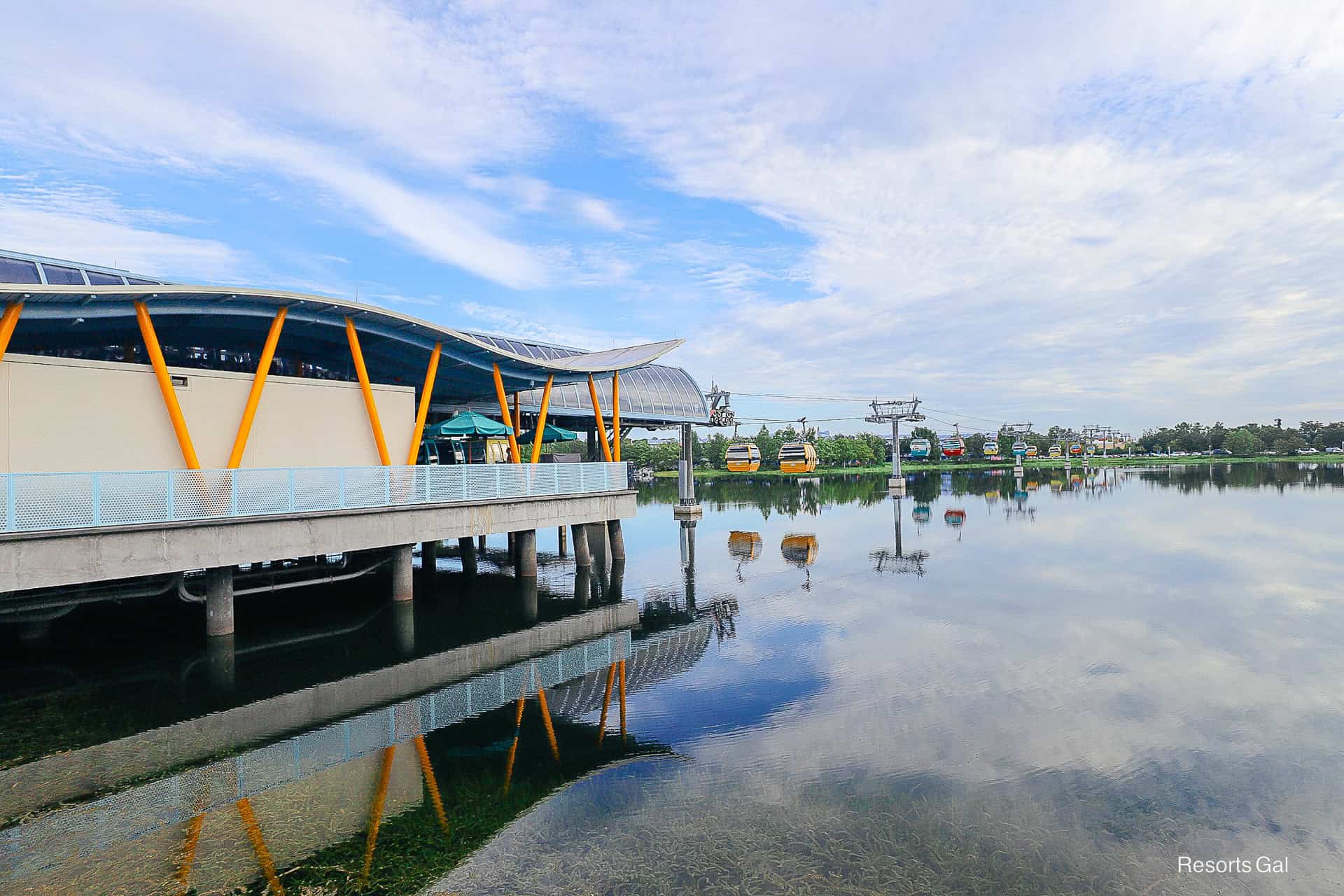
Bus transportation is only provided to Hollywood Studios and Epcot when the Skyliner is not operating or is down for maintenance. The Skyliner typically closes for a week in mid-January for routine maintenance.

Skyliner transportation is provided to:
- Disney’s Caribbean Beach
From Caribbean Beach, guests will transfer to the following:
- Epcot
- Disney’s Hollywood Studios
- Disney’s Riviera Resort
We have a guide with transportation tips for Disney’s Pop Century. It shares specifics on getting to and from the resort. If you only have time to read one of our additional articles, we recommend this one most. We believe that having a good base knowledge of how to get to and from the resort ahead of time will save you time, energy, and stress during your vacation. You might also like our bus schedule for Pop Century. It shares the average bus times we’ve recorded during our stays at the resort.

Resort Comparisons
If you’re comparing Pop Century to a few other resorts, you might enjoy these comparisons:
- Disney’s Pop Century vs. Disney’s All-Star Movies Resort
- Disney’s Pop Century vs. Disney’s Art of Animation Resort

Related Articles
We hope you enjoyed this guide and found it helpful as you prepare for your Walt Disney World vacation. For quick reference, here are all the articles we previously highlighted throughout this guide.


Browse our entire Pop Century Archives.
Final Thoughts
To learn more about the resorts, see our guide to the Disney World Hotels. You might also like our overview of dining at Disney World. Need to know how to get around? Our guide to transportation at Disney World is one of our top resources.
For touring the parks, see our Disney World Rides and Attractions guide. It links to attraction guides for all four theme parks. If you’re just getting started, you might like our Disney World Vacation Planning Guide. It brings together the resources you need to plan your visit. Check back with ResortsGal.com for more updates or sign up for our newsletter.
In the Comments
Are you planning a stay at Disney’s Pop Century Resort? Let us know in the comments.